
Take card payments with Stripe Checkout
Customers choose their products and delivery option in your shop, then pay by card on Stripe’s hosted checkout. Storeful updates the order when the payment is confirmed, so you can go straight to packing.
Let customers buy while you’re away
Someone opens your shop after hours and wants to buy a gift. They can see the order total, choose shipping or pickup, and pay by card without waiting for you to reply. When Stripe confirms payment, the order appears as paid in Storeful. The next morning you can open Orders and see which items to pack and how the customer wants to receive them.
Set up checkout before you share your store
Connect Stripe
Open payments in your store settings and connect your Stripe account. Complete the account details Stripe asks for so it can process payments.
Set up delivery or pickup
Choose the options shoppers can select at checkout. Set your delivery charge or add pickup instructions so customers know what to expect.
See paid orders in your dashboard
Storeful records the order after Stripe confirms payment. See what the customer bought, whether it’s shipping or pickup, and what needs packing. View payouts and manage refunds in Stripe.
Check the handoff between checkout and packing
Review the amount before sending buyers to pay
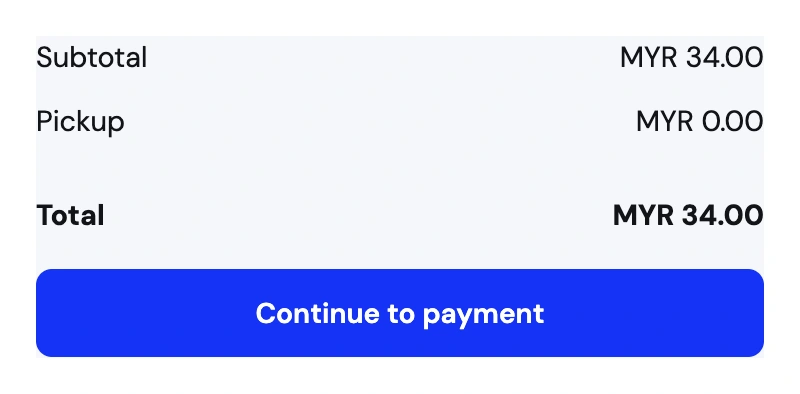
Run through a small basket using an address you deliver to. Check the items, delivery rate, and total on the Storeful review screen. Try local pickup as well if you offer it. The buyer should know what they’re paying and how they’ll receive the order before continuing to Stripe’s hosted checkout.
Start packing when the order shows as paid
A shopper can start card checkout and leave before paying. Treat payment confirmation as the point to act. When Stripe confirms the payment, open the paid order in Storeful to see product options, quantities, and fulfillment details. Use Stripe to check payouts or issue a card refund.
Allow time to connect your payment account
Complete the information Stripe requests for your business and check that your account can accept payments before sharing the shop. Set up the way you’ll deliver or hand over an order too. If customers already pay you by transfer, you can choose that ordering mode for the storefront instead.
Send a link when someone asks to buy
If someone messages you about a mug, share its product link. They can pick a quantity, choose how to receive it, and check out. The purchase arrives in your orders with the information you need to pack it.
See where a purchase starts