
Turn your storefront into a WhatsApp order form
Share one storefront link with your WhatsApp customers. Shoppers choose products and send an order request with contact and delivery details. You’ll see it in Orders and can continue the conversation in WhatsApp.
Keep the chat for the details that need you
A buyer messages ‘Can I get two?’ and you still need the size, delivery address, and contact details. The storefront order form collects those details in a request you can open in Orders. The buyer can bring the reference into WhatsApp, where you can agree on a pickup time or answer a question. You review availability and confirm the request before arranging payment, and you can send a private link if you’re taking a bank transfer.
From an order form to a WhatsApp chat
Add the number you use for orders
Choose WhatsApp in store settings, add your number with the country code, and set your delivery rates or pickup instructions.
Receive complete order requests
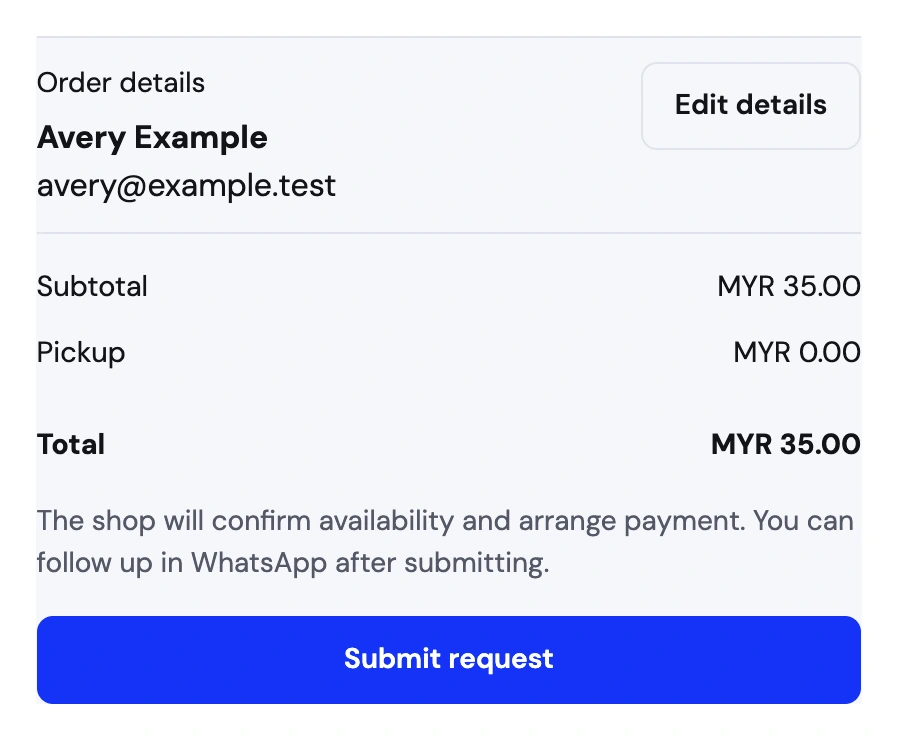
Shoppers enter their contact and delivery details and review the full total. Once they submit, they can use the saved reference to follow up in WhatsApp.
Confirm the request in Orders
Review the details and confirm the request in Orders to deduct stock. Arrange payment with the buyer.
A WhatsApp request, from buyer to Orders


What to confirm in the chat
Give buyers a form they can send at any time
The buyer chooses products, adds contact details, and picks delivery or pickup. Once they submit, the request appears in Orders even if they never open WhatsApp. They can bring its reference into chat to ask a question, and you can start from the saved request instead of asking for the same information twice.
Review availability before you accept
A request can come in while you’re selling the last few pieces in person. Review the items and available stock, adjust the request if you agree to a change, and confirm it in Orders. Confirmation deducts stock. Before that point the request is still waiting for your decision.
Agree on payment and pickup after confirmation
Give the buyer the collection time or any delivery details they still need. If you’re taking a bank transfer, send the private payment link from the confirmed order so they can upload a receipt. Check the deposit before marking the order paid and use the order status link to share fulfillment updates.
Take a pickup order over WhatsApp
A customer in Petaling Jaya opens a shop link, requests two caps, and chooses pickup. The seller agrees on a pickup time in WhatsApp, then confirms the request in Orders. Storeful deducts both caps from stock.