
Take orders with bank transfer or wallet payments
If you already get paid by bank transfer or a mobile wallet, keep using it. Give buyers your payment instructions at checkout and review their proof of payment from your order list.
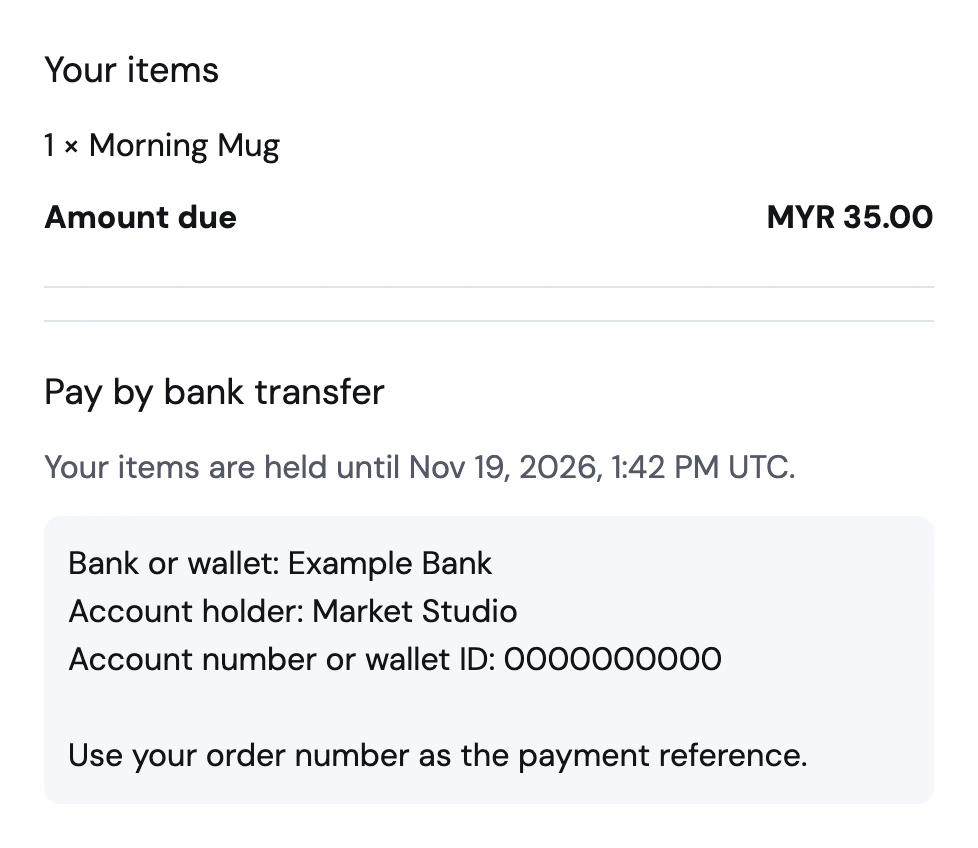
Match each transfer to the right order
Two customers can buy the same notebook at the same price on the same day. When proof of payment arrives in a chat, you still have to work out which order it belongs to. The private payment link gives each buyer their amount and reference and attaches their uploaded receipt to the order. You check the deposit in your bank or wallet before marking the order paid.
From payment instructions to a confirmed order
Tell buyers how to pay you
Choose manual payments in store settings. Write the recipient name, bank or wallet details, and any reference buyers should include when they transfer the order total.
Get proof with the order
Buyers place an order to hold their items and see your payment instructions. After transferring the total, they upload a screenshot or photo of the receipt from their private order link.
Check your balance, then confirm
Match the receipt to the funds received in your bank or wallet. Once it matches, confirm the order in Storeful and get it ready for shipping or pickup.
What happens between the transfer and your approval
Put the instructions where the amount is locked
Add the recipient and bank or wallet details in Settings. After a customer places an order, the private payment page shows the final amount and order number alongside those instructions. They can come back from their order email if switching between the shop and a banking app interrupts the upload.
Understand the one-hour stock hold
Storeful holds the items for an hour after the order is placed. A receipt uploaded during that hold keeps the items reserved while you review it. If proof arrives after the hold ends, check availability as well as the deposit before approving, since another customer may have ordered the released stock.
Use the receipt to find the deposit
Open the payment proof from the order and compare the amount and reference with what arrived in your bank or wallet. Once you’ve matched it, confirm payment in Orders and prepare the items. Use the private order status link if the buyer asks what stage their order is at.
Sell a small batch at your next market
A stationery seller lists a notebook and posts the shop link after a market. A customer places a pickup order, pays by bank transfer, and uploads their receipt. The seller matches the deposit, confirms payment, and sets the notebook aside.