
Share a shop link people recognize
Put a shop address like gooddaygoods.storeful.io in your bio. When a platform displays a link preview, your shop name, product details, and photo give followers a reason to tap.

Send shoppers to the thing they asked about
A follower who just saw your new tote shouldn’t have to look through a whole collection to find it. Send its product link in the reply so they land on the right photo, price, and options. Use the main shop link in your bio or on a printed QR at a market, where people may want to browse before deciding what to buy.
Make the next tap easy
Use a link that reads like your shop
Choose a short Storeful address that matches the name your followers see in your profile. Add the storefront link to your bio so people can browse all your products.
Share the product you’re talking about
When you post about a specific product, share that page. Storeful gives the page a title, description, and product image that social and messaging platforms can use in a preview.
Check the preview where you’ll share it
Try the link in your post or a private message. Each app decides how to display its preview, and some keep an older preview after you update a listing.
Choose the link that matches what you’re sharing
Use the store link when people want to browse
Keep one shop link in your bio, email footer, or market signage so people can see everything you currently sell. The Share store panel gives you that address and a downloadable shop QR. Test a printed code with your phone before putting it on a sign or packing card.
Send a product link when someone has already chosen
Copy an individual product link for a reply, Story, or newsletter that talks about a specific item. The shopper can open the listing and check the price and options themselves. The page supplies its title, description, and image for apps that build a social preview.
Open the public link before sharing widely
Check the listing in a private window so you see what a buyer sees. If you edited the product photo or title, publish those changes first. A messaging app can keep an older link preview for a while, so open the actual page when checking that your update went live.
Send shoppers straight to the tote
Good Day Goods keeps gooddaygoods.storeful.io in its bio. A post about a new tote links to the tote’s page, so shoppers can recognize the flower print from the post and open the matching listing.
Open the example product page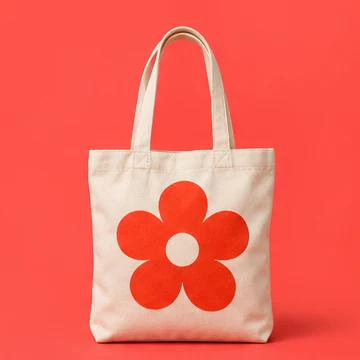
A canvas tote with a pop of color.