
See what brings shoppers in
See which channels send people to your shop and which products they open. Look back over 7, 30, or 90 days, and hover or tap the traffic chart for an exact daily count.

Work out what to try after a busy post
If a product post brings people in but few orders follow, start with the listing those shoppers opened. Check whether it answers the questions you usually get about size, materials, and delivery. If there are few visits in the first place, try sharing the link where customers already find you. Traffic and order activity give you a place to start looking.
Find out what’s working
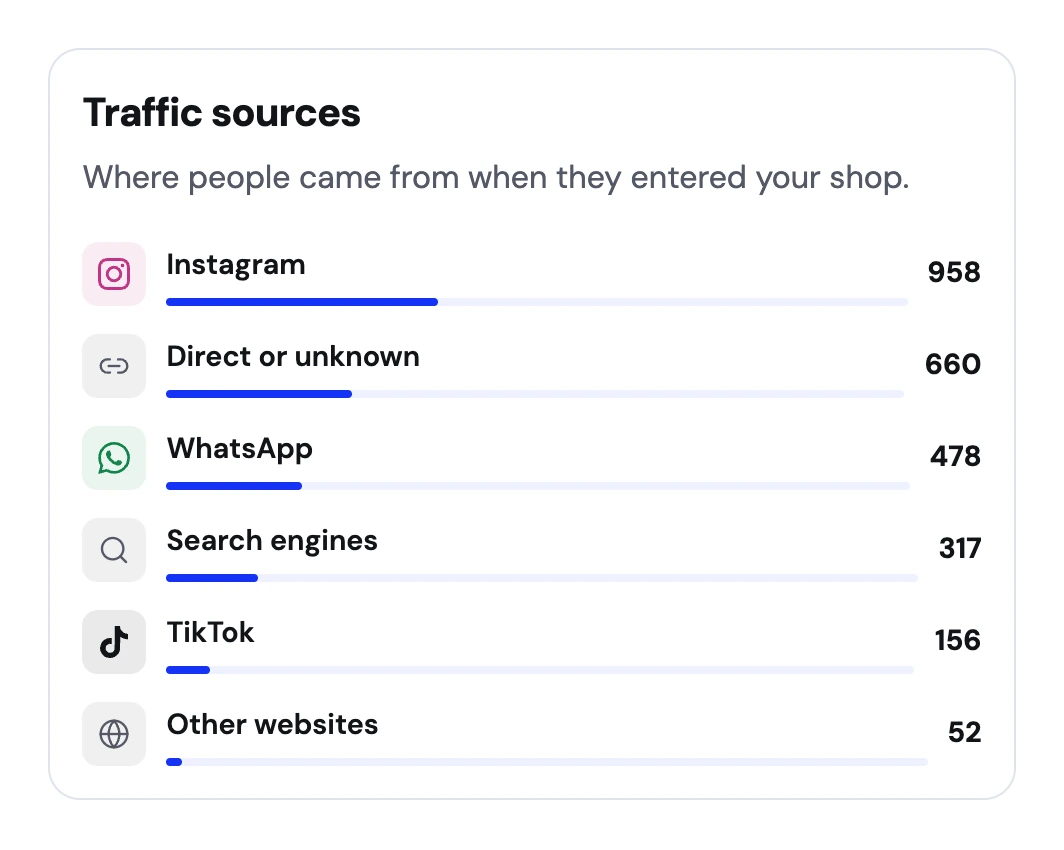
See where visits come from
See how much traffic comes from Instagram, WhatsApp, search, and other sources. Use that to decide where to share your next product.
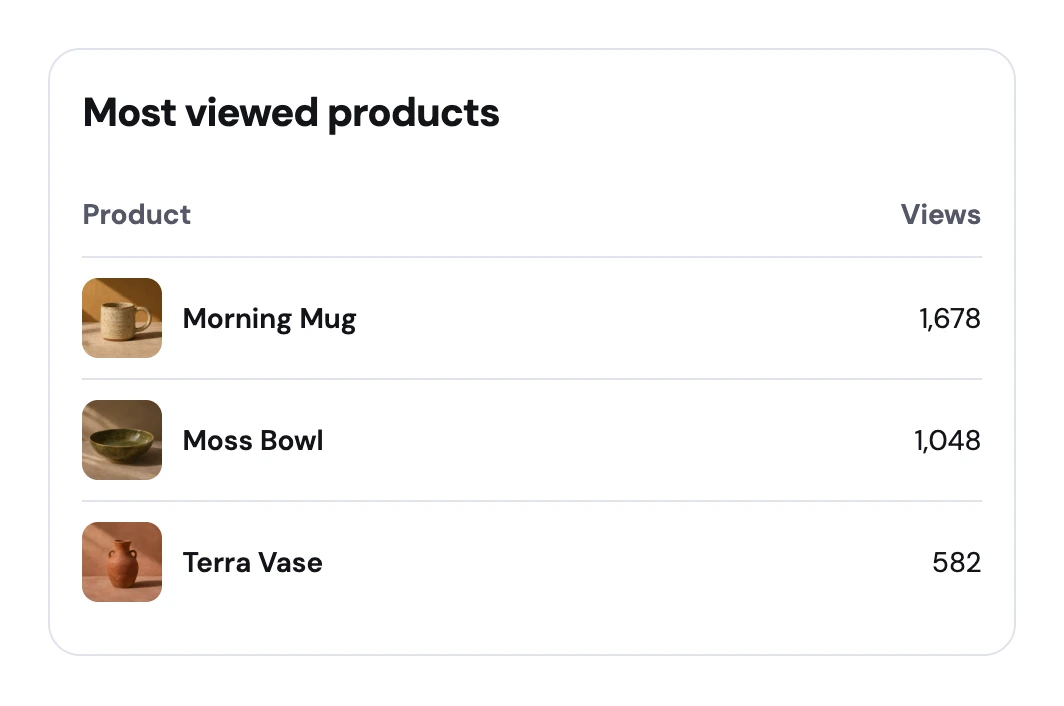
Find the products people open
See which products get the most views. Check card checkouts, transfer receipts, and saved WhatsApp requests in order activity.
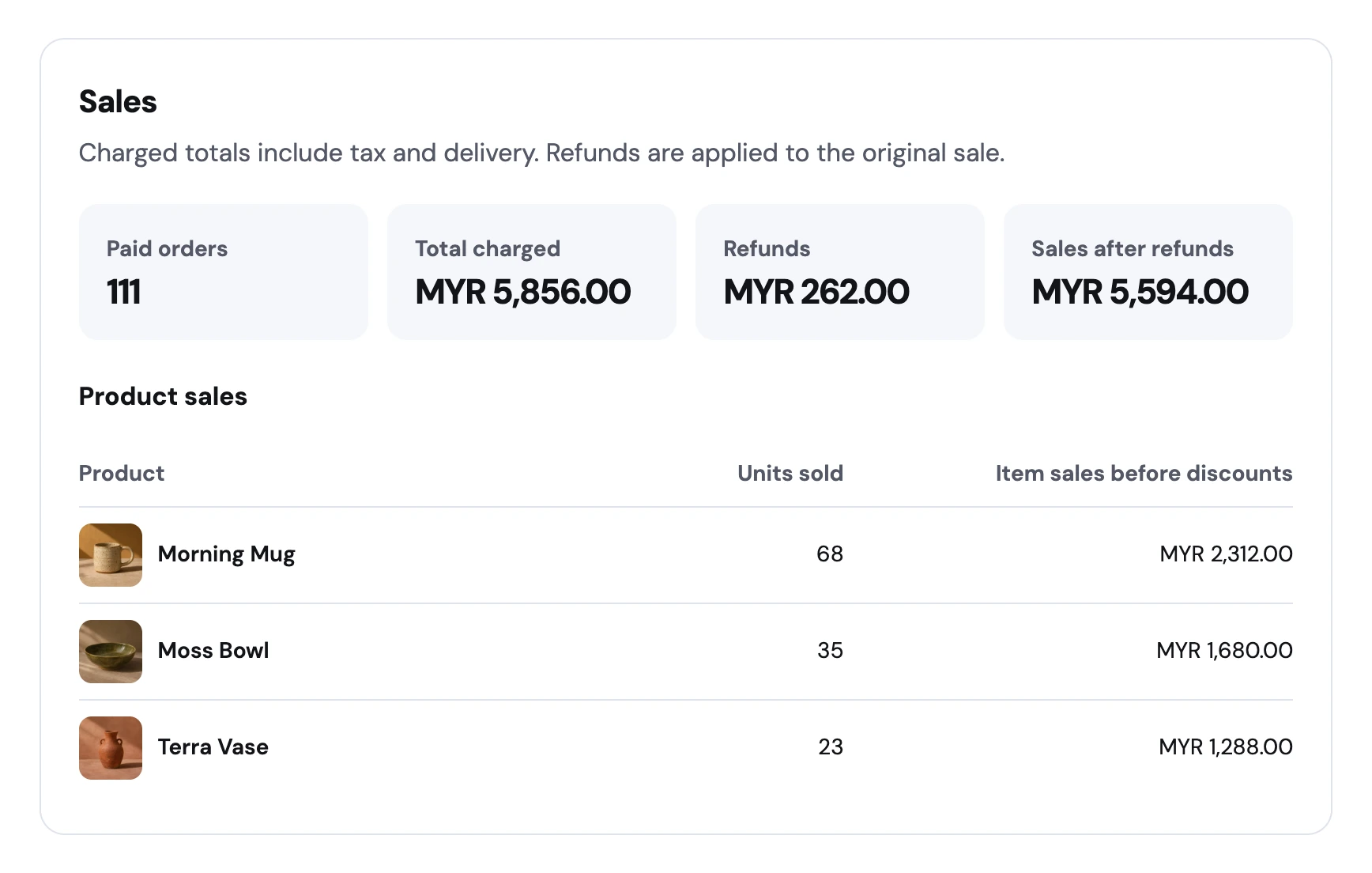
See what sold on Pro
Check paid orders, refunds, and sales after refunds. Product sales show how many units sold and how much each product brought in before discounts. Traffic and order activity are included on Free.

Decide what to try next with the data you have
Look for where people opened your shop
After a weekend release, use the seven-day view to find the days traffic changed. Look at which sources and product pages show activity, then compare those dates with when you shared. Use the longer windows to check whether a busy day was unusual for your shop.
Follow the kind of order you actually take
A Stripe checkout start, a transfer receipt, and a saved WhatsApp request describe different stages of an order. Read them alongside the payment state in Orders. If requests come in but stall, check your fulfillment instructions, the total buyers saw, and how quickly you got back to them.
Use paid sales for batch and pricing decisions
Pro reports show paid sales, refunds, and the products that contributed to sales in the selected period. Use units sold as one input when deciding how many to make next time. Traffic data begins when tracking runs, so a newly opened shop will build up its history as people visit.
See what happens after a product post
Dayroom Studio shares its Morning Mug on Instagram. The owner checks for a bump in traffic and sees which products people opened. Later, the sales report shows how many mugs sold in that period.